Convert Hand-Drawn Sketches
to Digital Plans & 3D Models
Upload any sketch, drawing, or photo - AI instantly transforms it into
professional floor plans and exportable 3D models
Upload Your Sketch Now
Click the upload button below to convert your hand-drawn sketch to a professional digital plan
Supported formats: JPG, PNG, PDF | Max file size: 10MB
Or describe your floor plan requirements in the text box above
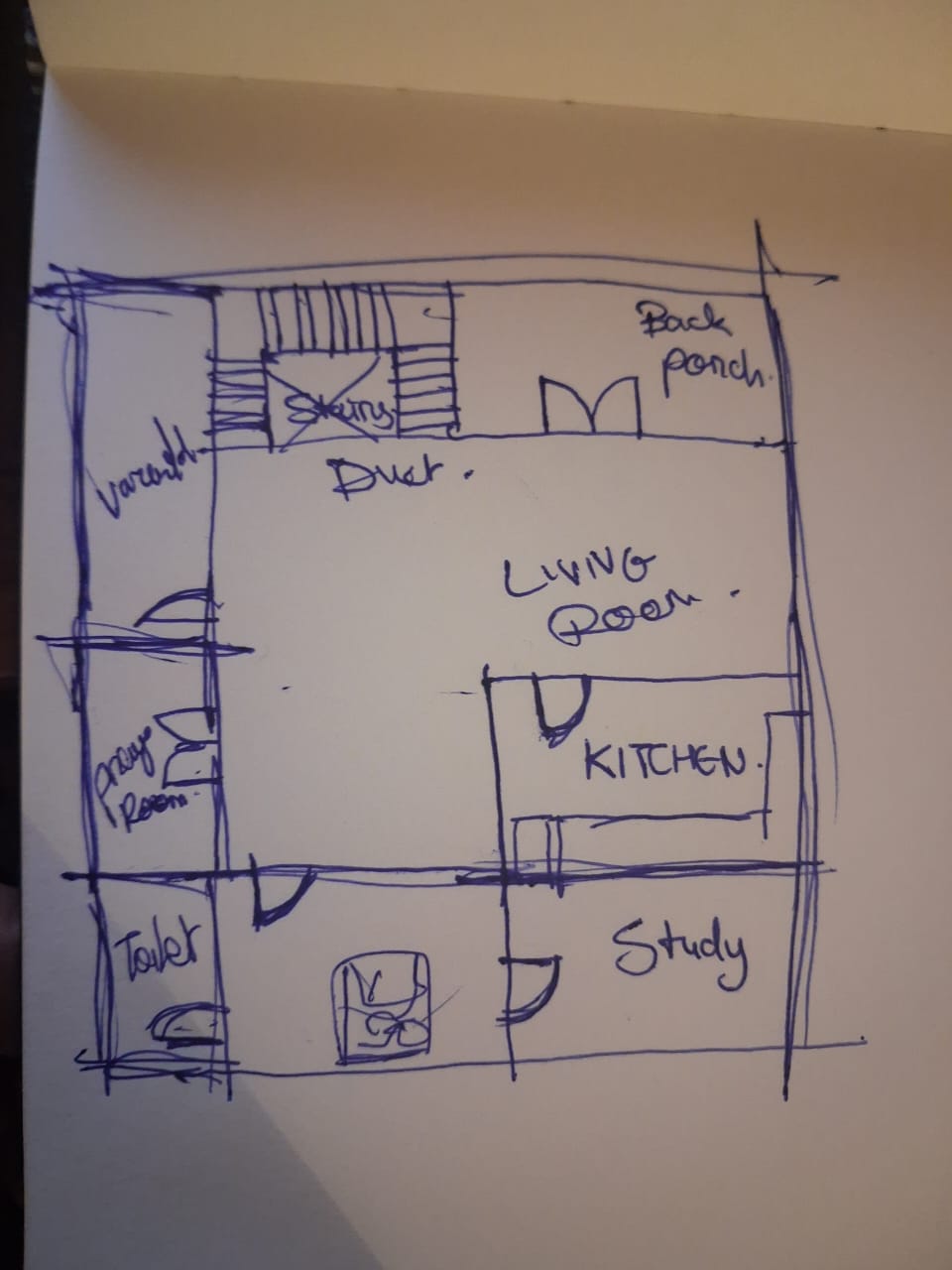
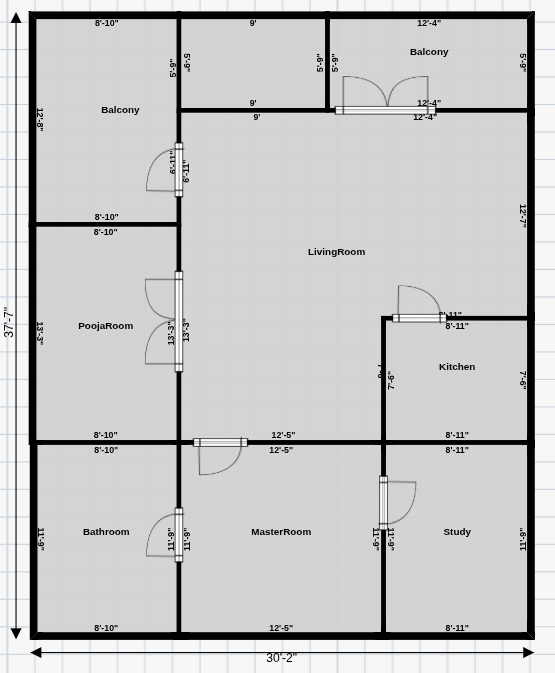
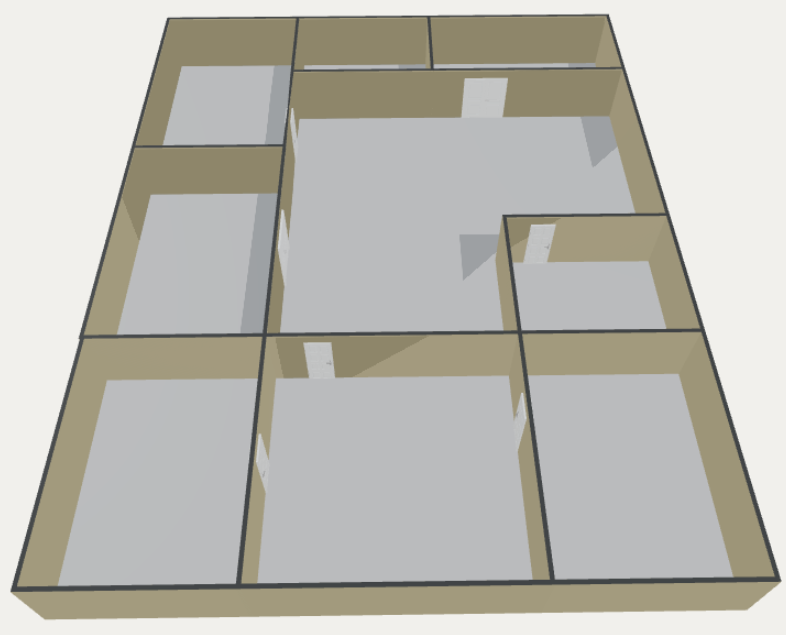
See the Transformation
From rough sketch to professional plan in seconds
Why Convert Sketches Digitally?
Save time, improve accuracy, and enhance your workflow
Instant Digitization
Transform hand-drawn sketches into professional digital floor plans in seconds using AI.
Precise Measurements
AI automatically detects dimensions and converts rough sketches to accurate, scaled plans.
3D Model Generation
Instantly convert your 2D sketches into fully explorable 3D models and walkthroughs.
Multiple Export Formats
Export to CAD, PDF, DXF, STL, GLB and more - ready for any workflow or software.
How Sketch Conversion Works
Four simple steps from sketch to professional export
Upload Your Sketch
Take a photo or scan your hand-drawn floor plan. Upload images in JPG, PNG, or PDF format.
AI Processing
Our AI analyzes your sketch, recognizes rooms, walls, doors, windows, and dimensions automatically.
Review & Edit
Review the digitized plan, make adjustments using our intuitive editor, and refine as needed.
Generate 3D & Export
Instantly create 3D models and export in professional formats - CAD, PDF, DXF, STL, GLB, and more.
Powerful AI Recognition Features
Advanced technology that understands your sketches
Photo Recognition
Upload photos of sketches, napkin drawings, or whiteboard concepts
PDF Processing
Convert scanned drawings and PDF documents to editable digital plans
Smart Interpretation
AI recognizes rooms, doors, windows, and architectural elements automatically
Layer Generation
Automatically creates organized layers for walls, openings, furniture, and annotations
Real-Time Preview
See your sketch transform into a professional plan instantly with live updates
AI Enhancement
Automatically cleans up, straightens, and perfects imperfect hand drawings
Who Benefits from Sketch Conversion?
Perfect for professionals and homeowners alike
Architects & Designers
Quickly digitize client sketches from meetings, convert napkin drawings into presentation-ready plans.
- Client concept sketches
- Site visit annotations
- Quick design iterations
Real Estate Professionals
Convert property sketches into professional floor plans for listings and marketing materials.
- Property walkthroughs
- Quick measurements
- Listing presentations
Contractors & Builders
Transform field sketches and as-built drawings into accurate digital documentation.
- Field measurements
- As-built documentation
- Renovation planning
Homeowners & DIY
Turn your home renovation ideas into professional plans without learning complex software.
- Home renovations
- Room redesigns
- Furniture planning
Export to Any Format You Need
Professional-grade outputs ready for any workflow
2D Formats
3D Formats
Professional Tools
Ready to Digitize Your Sketches?
Transform your hand-drawn concepts into professional plans in seconds
Start Converting NowNo credit card required • Free trial available